Find the sound
See every tab Chrome reports as audible, including tabs you have not enabled yet.
See your audible Chrome tabs together. Give each tab you enable its own volume, mute what you do not need, and keep the sound right where it belongs: on your device.
Built for Chrome 116+ · Chrome Web Store listing in preparation
3 audio tabs · 2 under control
Volume control on
Volume control on
Playing · normal volume
Illustrative preview — no audio is played here.
THE CONTROL ROOM
Music, meetings, streams, and tutorials can all play at once. Volume Lift gives each enabled tab a place in the mix.
See every tab Chrome reports as audible, including tabs you have not enabled yet.
Set an enabled tab anywhere from silence to 600% with its own slider.
Mute a tab in one tap, or stop Volume Lift control and return it to normal playback.
Captured audio is processed in browser memory. The extension does not record or transmit it.
THREE SIMPLE STEPS
Chrome requires a click on each tab before an extension can capture its audio. Volume Lift starts controlling the current playing tab as soon as you click its toolbar icon.
Open music, video, or any site with sound. It appears in the mixer when Chrome marks it as audible.
The current playing tab is enabled automatically. Repeat that click on any other tab you want to control.
Adjust each enabled slider, mute a tab, or stop control. Your levels keep working after the popup closes.
THE REAL MIXER
The popup stays focused on one job: showing your audio tabs and putting the controls within reach.
See how Volume Lift handles tab data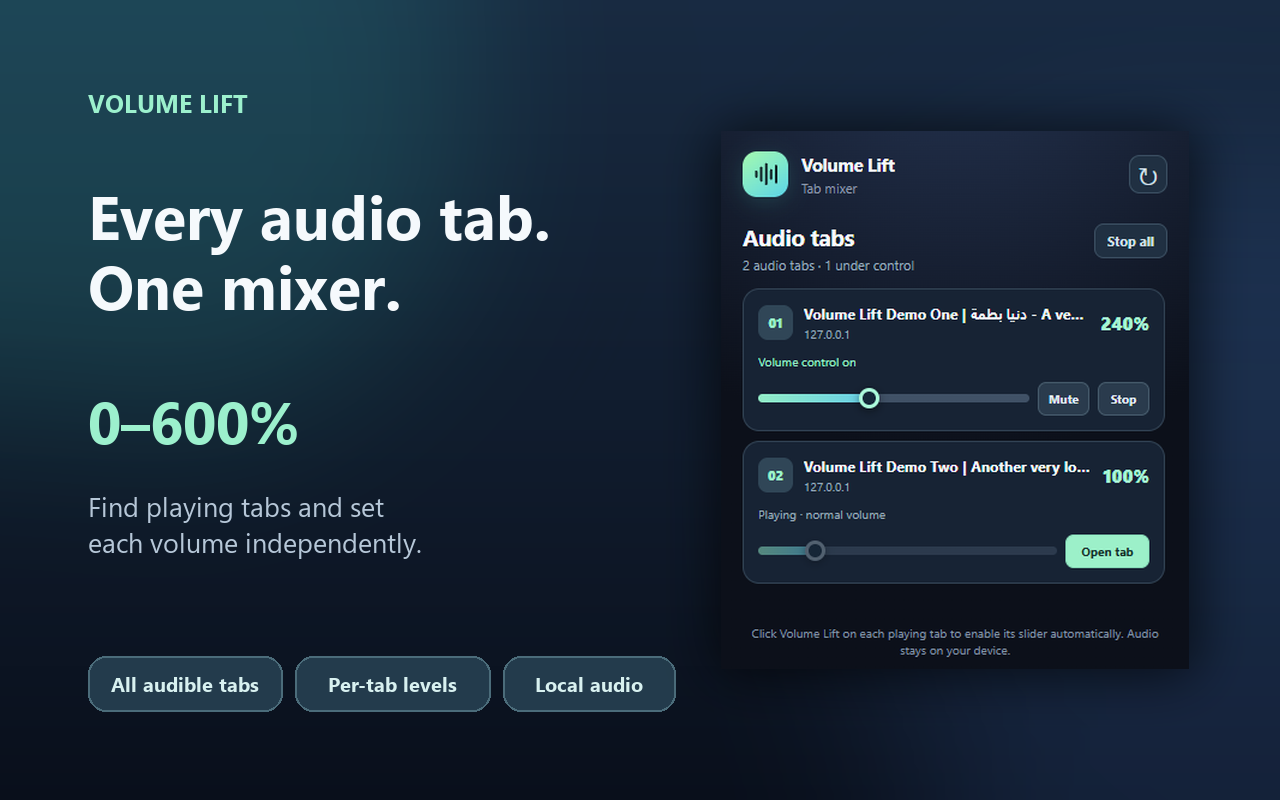
PRIVACY IS PART OF THE MIX
Volume Lift reads tab titles, hostnames, and audible state to show the mixer. It processes captured audio locally and does not record it, send it to a server, or use analytics or ads.
Read the privacy policyGOOD TO KNOW
Chrome grants tab audio capture after you invoke the extension on that tab. The mixer can show other audible tabs, but their sliders become available after you click Volume Lift while each tab is active.
It increases volume, which may also distort sound or be uncomfortable. Start at a moderate level and raise it carefully.
No. This version keeps active session details in browser memory and does not save volume settings or browsing data.
COMING TO CHROME
Volume Lift’s Chrome Web Store listing is being prepared. The public install link will appear here when the extension is published.